Looking to simplify your cloud database management? AWS RDS is a game-changer, offering powerful, scalable, and secure relational database solutions in the cloud. Let’s dive into why it’s a top choice for businesses worldwide.

What Is AWS RDS and Why It Matters

Amazon Web Services (AWS) Relational Database Service, commonly known as AWS RDS, is a managed service that makes it easy to set up, operate, and scale relational databases in the cloud. It supports multiple database engines, including MySQL, PostgreSQL, Oracle, SQL Server, MariaDB, and Amazon Aurora.
Core Definition and Purpose
AWS RDS is designed to offload the heavy lifting of database administration. This includes tasks like hardware provisioning, database setup, patching, backups, and recovery. By automating these processes, AWS allows developers and IT teams to focus on application development rather than infrastructure management.
- Eliminates the need for manual database server maintenance
- Provides automated software patching and updates
- Supports high availability and failover with Multi-AZ deployments
“AWS RDS enables organizations to run relational databases in the cloud with less operational overhead.” — AWS Official Documentation
How AWS RDS Fits Into the Cloud Ecosystem
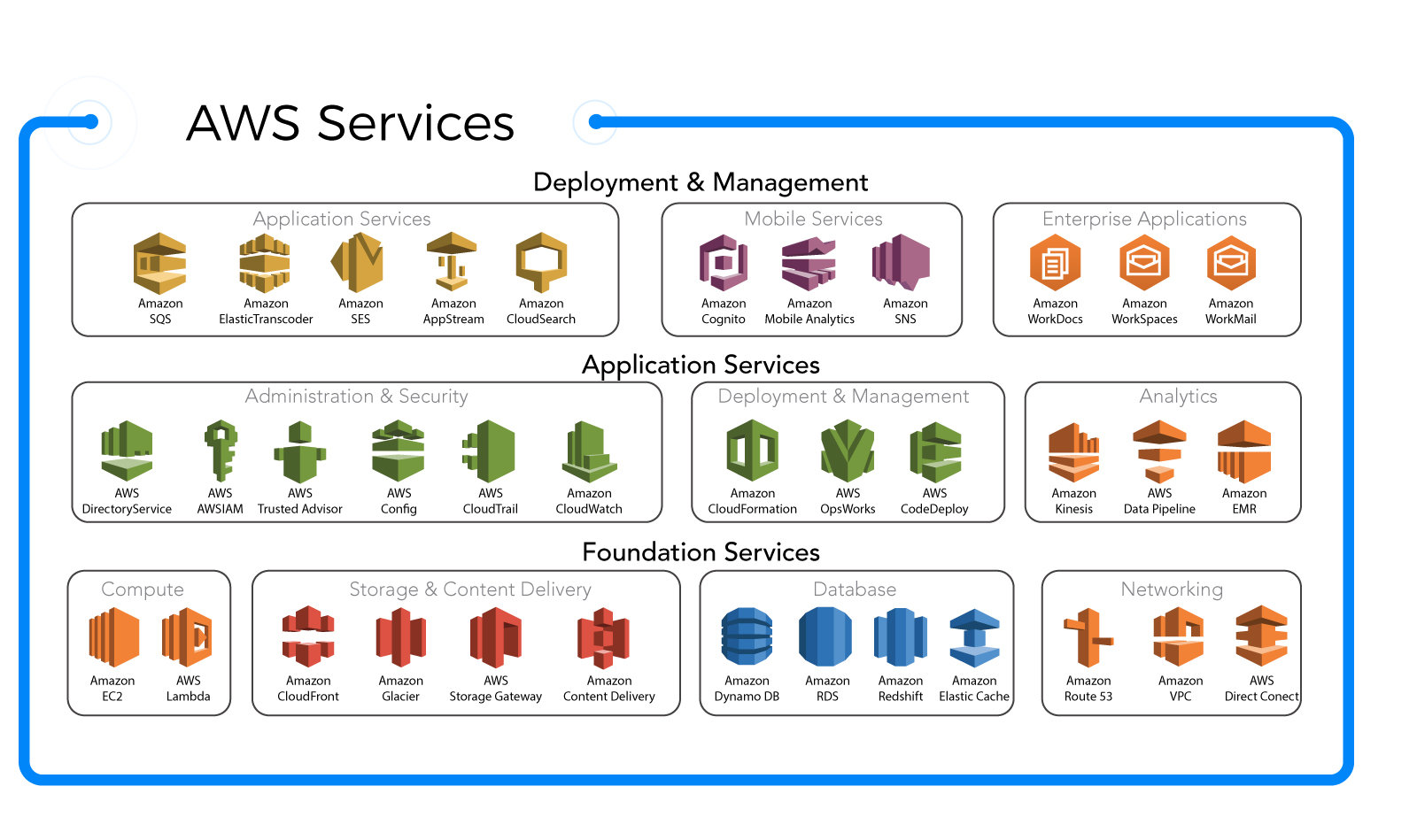
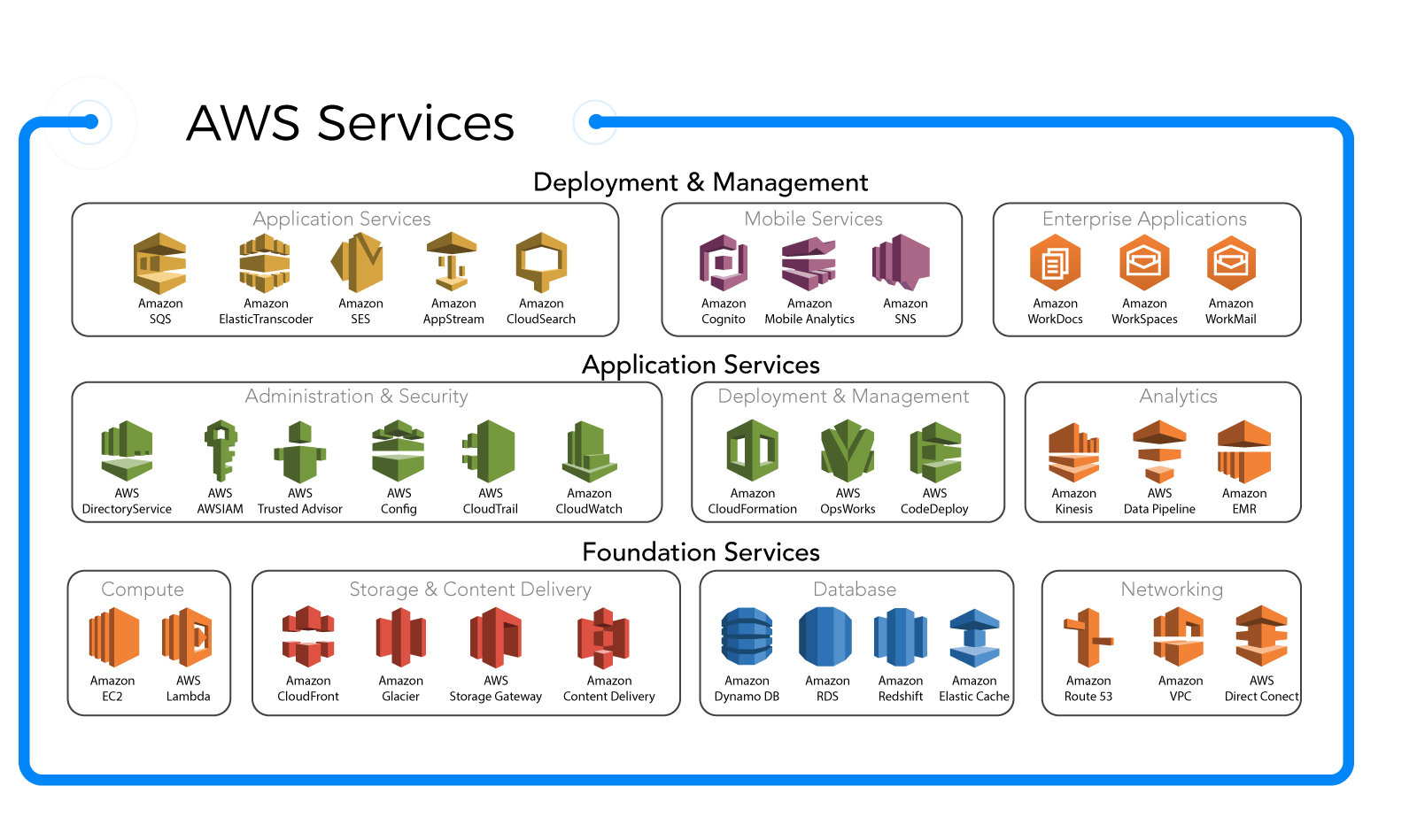
AWS RDS is a core component of the AWS cloud infrastructure, integrating seamlessly with other AWS services like Amazon EC2, Amazon S3, AWS Lambda, and Amazon CloudWatch. This integration allows for end-to-end application development, monitoring, and data storage solutions.
- Integrates with IAM for secure access control
- Works with VPC to ensure network isolation and security
- Leverages CloudWatch for real-time performance monitoring
For example, you can use AWS RDS in conjunction with AWS Lambda to create serverless applications that automatically scale based on demand. This synergy reduces latency and improves user experience.
Key Features of AWS RDS That Boost Efficiency
AWS RDS stands out due to its rich set of features designed to enhance performance, security, and scalability. These features make it ideal for startups, enterprises, and everything in between.
Automated Backups and Point-in-Time Recovery
One of the most critical features of AWS RDS is its automated backup system. It automatically performs daily snapshots of your database and retains them for a configurable period (up to 35 days).
- Backups occur during a user-defined maintenance window
- Point-in-time recovery allows restoration to any second within the retention period
- Backups are stored in Amazon S3 for durability and redundancy
This means if your database encounters corruption or accidental deletion, you can restore it to a precise moment before the incident, minimizing data loss.
Multi-AZ Deployments for High Availability
Multi-AZ (Availability Zone) deployments are essential for mission-critical applications. AWS RDS can deploy a primary DB instance and a synchronous standby replica in a different Availability Zone.
- Automatic failover in case of primary instance failure
- No manual intervention required during outages
- Minimal downtime, often under 60 seconds
This setup ensures your application remains available even during unplanned events like power failures or network disruptions.
Read Replicas for Improved Read Performance
To handle high read traffic, AWS RDS supports read replicas. These are asynchronous copies of your primary database that can serve read-only queries.
- Up to 5 read replicas per primary instance
- Can be deployed across different regions for global applications
- Reduces load on the primary instance, improving overall performance
For example, an e-commerce platform can use read replicas to handle product catalog queries while the primary instance manages transactions and inventory updates.
Supported Database Engines in AWS RDS
AWS RDS supports six major relational database engines, giving users flexibility in choosing the right tool for their needs. Each engine has its strengths and ideal use cases.
Amazon Aurora: The High-Performance Choice
Amazon Aurora is AWS’s proprietary database engine, compatible with MySQL and PostgreSQL. It offers up to five times the throughput of standard MySQL and three times that of PostgreSQL.
- Automatically scales storage from 10 GB to 128 TB
- Self-healing storage with six-way replication across three AZs
- Integrated with AWS Global Database for low-latency global reads
Aurora is ideal for high-traffic applications like SaaS platforms or real-time analytics dashboards. Learn more at AWS Aurora Official Page.
MySQL and PostgreSQL: Open-Source Powerhouses
MySQL and PostgreSQL are two of the most popular open-source databases. AWS RDS makes it easy to deploy and manage them in the cloud.
- MySQL is known for speed and ease of use, ideal for web applications
- PostgreSQL excels in complex queries and data integrity, perfect for financial systems
- Both support JSON, geospatial data, and full-text search
Many startups begin with MySQL on AWS RDS due to its simplicity and cost-effectiveness.
Oracle and SQL Server: Enterprise-Grade Solutions
For enterprises already using Oracle or Microsoft SQL Server, AWS RDS provides a seamless migration path to the cloud.
- Supports advanced features like partitioning, advanced security options, and RAC (Real Application Clusters)
- Licensing can be BYOL (Bring Your Own License) or included in the hourly rate
- Enables hybrid cloud architectures with AWS Direct Connect
However, these engines are more expensive than open-source alternatives, so cost-benefit analysis is crucial.
How to Set Up an AWS RDS Instance Step by Step
Creating an AWS RDS instance is straightforward, even for beginners. The AWS Management Console provides a guided interface to help you through the process.
Step 1: Choose Your Database Engine
Log in to the AWS Console, navigate to RDS, and click “Create database.” You’ll see a list of available engines. Choose based on your application needs.
- Select “Standard Create” for full customization
- Or “Easy Create” for a quick setup with default settings
- Consider using Aurora for new projects due to its performance benefits
Step 2: Configure DB Instance Settings
Next, configure your instance settings, including:
- DB instance identifier (a unique name)
- DB instance class (e.g., db.t3.micro for testing)
- Storage type and allocated space (General Purpose SSD recommended)
- Enable automatic backups and set retention period
Ensure you enable “Auto minor version upgrade” to receive security patches automatically.
Step 3: Set Up Network and Security
Security is critical. You must configure the Virtual Private Cloud (VPC), subnets, and security groups.
- Place the DB instance in a private subnet for security
- Create a security group that allows inbound traffic only from your application servers
- Disable public access unless absolutely necessary
For production environments, always use Multi-AZ deployment and encrypt your database.
Performance Optimization Tips for AWS RDS
While AWS RDS handles much of the heavy lifting, optimizing performance requires careful planning and monitoring.
Use Parameter Groups and Option Groups
Parameter groups allow you to customize database engine settings (like max_connections or query_cache_size). Option groups control additional features like SSL or Time Zone support.
- Create custom parameter groups for different environments (dev, staging, prod)
- Test changes in non-production environments first
- Monitor performance impact using CloudWatch metrics
Monitor with Amazon CloudWatch and Performance Insights
CloudWatch provides basic metrics like CPU utilization, disk I/O, and connections. For deeper analysis, enable Performance Insights.
- Performance Insights shows which SQL queries consume the most resources
- Helps identify slow queries and optimize them
- Available for MySQL, PostgreSQL, and Aurora
Set up alarms for high CPU or memory usage to get notified before performance degrades.
Scale Vertically and Horizontally
Scaling in AWS RDS can be vertical (upgrading instance size) or horizontal (using read replicas).
- Vertical scaling: Change instance class (e.g., from db.t3.micro to db.m5.large)
- Horizontal scaling: Add read replicas to distribute read load
- Consider Aurora Serverless for automatic scaling based on demand
Always test scaling operations during low-traffic periods to avoid disruptions.
Security Best Practices for AWS RDS
Security is paramount when dealing with databases. AWS RDS provides several tools to secure your data at rest and in transit.
Enable Encryption at Rest and in Transit
AWS RDS supports encryption using AWS Key Management Service (KMS).
- Enable encryption when creating the DB instance (can’t be added later)
- Encrypts data, logs, and snapshots
- Use SSL/TLS to encrypt data in transit between app and DB
Encryption ensures compliance with regulations like GDPR, HIPAA, and PCI-DSS.
Use IAM Authentication and Security Groups
Instead of traditional passwords, you can use IAM database authentication for MySQL and PostgreSQL.
- Eliminates password management overhead
- Leverages IAM policies for fine-grained access control
- Integrates with existing identity providers
Combine this with strict security group rules to limit access only to trusted sources.
Regular Auditing and Logging
Enable database logging (e.g., MySQL general logs, PostgreSQL logs) and export them to Amazon CloudWatch Logs.
- Monitor for unauthorized access attempts
- Track schema changes and user activity
- Use AWS CloudTrail to audit RDS API calls
Regular audits help detect anomalies and ensure compliance.
Cost Management and Pricing Models for AWS RDS
Understanding AWS RDS pricing is crucial to avoid unexpected bills. Costs depend on instance type, storage, I/O, and data transfer.
On-Demand vs Reserved Instances
On-Demand instances are pay-as-you-go with no long-term commitment. Reserved Instances offer significant discounts (up to 75%) for 1- or 3-year terms.
- Use On-Demand for development and testing
- Use Reserved Instances for stable, predictable workloads
- Consider Convertible RIs for flexibility
For example, a db.m5.large instance costs ~$0.25/hour on-demand but ~$0.10/hour with a 3-year reservation.
Storage and I/O Costs
General Purpose SSD (gp2) is the default storage. Provisioned IOPS (io1) is for high-performance needs.
- gp2: $0.115 per GB-month
- io1: $0.125 per GB-month + $0.065 per provisioned IOPS-month
- Backup storage is free up to 100% of your primary DB size
Monitor your I/O usage to avoid over-provisioning and unnecessary costs.
Free Tier and Cost Monitoring Tools
AWS offers a free tier for new users: 750 hours per month of db.t2.micro, db.t3.micro, or db.t4g.micro for 12 months.
- Includes 20 GB of General Purpose SSD storage
- 30 million I/O requests
- 20 GB of backup storage
Use AWS Cost Explorer and Budgets to track spending and set alerts. Learn more at AWS RDS Pricing Page.
Common Use Cases and Real-World Applications of AWS RDS
AWS RDS is used across industries for a wide range of applications, from simple websites to complex enterprise systems.
E-Commerce Platforms
Online stores use AWS RDS to manage product catalogs, customer data, and order processing.
- Use Aurora for high availability during peak sales (e.g., Black Friday)
- Read replicas handle product search queries
- Multi-AZ ensures uptime during traffic spikes
SaaS Applications
Software-as-a-Service providers rely on AWS RDS for multi-tenant database architectures.
- Each customer can have a separate schema or database
- Aurora Serverless scales automatically with user count
- Encryption ensures data isolation between tenants
Data Analytics and Reporting
Businesses use AWS RDS as a source for analytics pipelines.
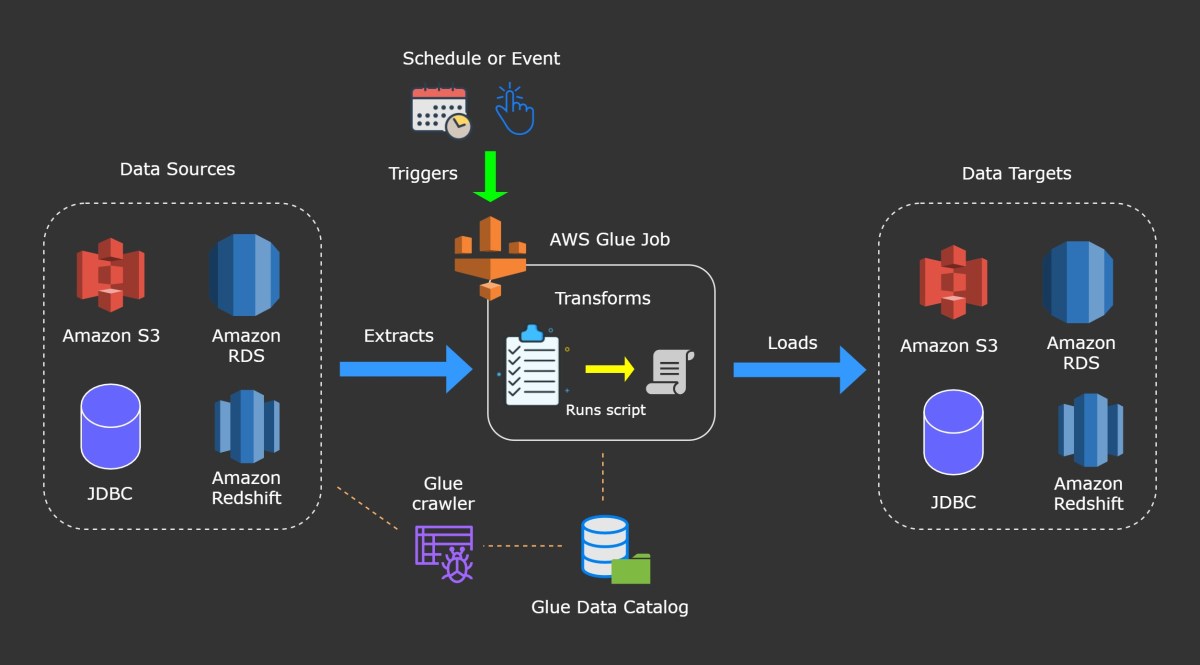
- ETL processes extract data from RDS to Amazon Redshift or S3
- Read replicas prevent analytics queries from affecting transactional performance
- Point-in-time recovery protects against data corruption
For example, a fintech company might use PostgreSQL on RDS to store transaction data and run nightly reports.
Migrating to AWS RDS: Strategies and Tools
Migrating existing databases to AWS RDS can be challenging but is made easier with AWS tools.
Using AWS Database Migration Service (DMS)
AWS DMS allows you to migrate databases with minimal downtime.
- Supports homogeneous (e.g., Oracle to Oracle) and heterogeneous (e.g., SQL Server to PostgreSQL) migrations
- Can perform one-time or continuous replication
- Integrates with Schema Conversion Tool for engine changes
For example, a company moving from on-premise SQL Server to AWS RDS for PostgreSQL can use DMS and Schema Conversion Tool together.
Planning the Migration Process
A successful migration requires careful planning.
- Assess current database size, performance, and dependencies
- Choose the right target engine and instance size
- Test migration in a staging environment
- Plan for cutover during low-traffic periods
Use the AWS Migration Hub to track progress and identify bottlenecks.
Post-Migration Optimization
After migration, optimize your RDS instance for the cloud.
- Enable automated backups and Multi-AZ
- Set up monitoring with CloudWatch
- Tune queries and indexes for better performance
Regularly review performance metrics and adjust configurations as needed.
What is AWS RDS used for?
AWS RDS is used to manage relational databases in the cloud. It simplifies database administration tasks like setup, patching, backups, and scaling. It’s ideal for web applications, SaaS platforms, e-commerce sites, and enterprise systems that require reliable, scalable, and secure database solutions.
How much does AWS RDS cost?
Costs vary based on instance type, storage, and region. A db.t3.micro instance starts at around $0.02/hour. Storage costs $0.115/GB-month for General Purpose SSD. You can reduce costs with Reserved Instances or by using the AWS Free Tier for the first 12 months. Always use the AWS Pricing Calculator for accurate estimates.
Is AWS RDS secure?
Yes, AWS RDS is secure. It supports encryption at rest using KMS, SSL/TLS for data in transit, IAM authentication, and network isolation via VPC. You can also enable logging and auditing to monitor access and comply with regulations like GDPR and HIPAA.
Can I migrate my existing database to AWS RDS?
Yes, you can migrate using AWS Database Migration Service (DMS). It supports both homogeneous and heterogeneous migrations with minimal downtime. The Schema Conversion Tool helps when changing database engines, such as moving from Oracle to PostgreSQL.
Which database engine should I choose on AWS RDS?
Choose based on your needs: Amazon Aurora for high performance, MySQL for simplicity, PostgreSQL for advanced features, Oracle or SQL Server for enterprise compatibility. Aurora is often recommended for new cloud-native applications due to its scalability and cost-efficiency.
AWS RDS is a powerful, flexible, and secure solution for managing relational databases in the cloud. From automated backups and high availability to global scalability and enterprise-grade security, it empowers businesses to focus on innovation rather than infrastructure. Whether you’re launching a startup or migrating a legacy system, AWS RDS provides the tools and reliability needed to succeed in today’s data-driven world. By leveraging its features wisely, you can build robust, scalable, and cost-effective database architectures that grow with your business.
Recommended for you 👇
Further Reading: